Overslaan naar hoofdinhoud
Pulse
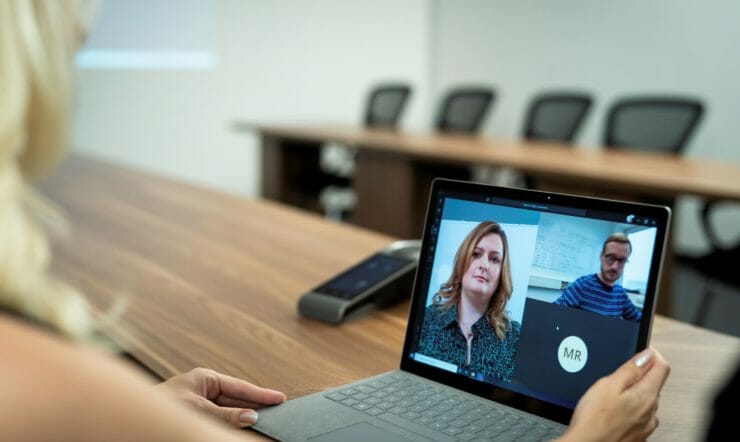
Woman with Surface Device
Leestijd, 2 min.

Optimally tailored to your organization’s needs 

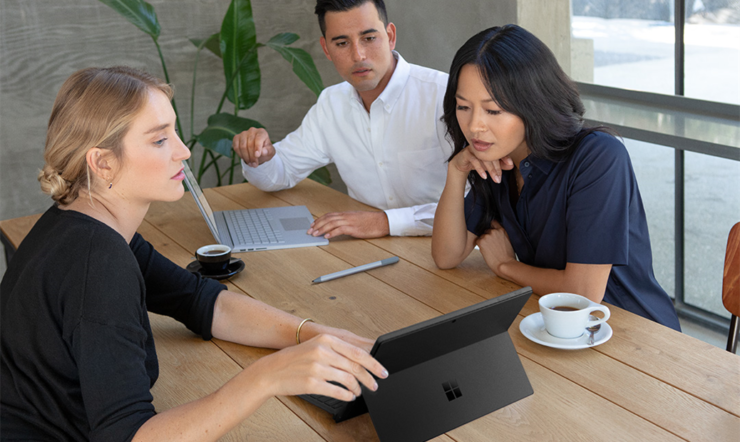
Microsoft Surface is optimally tailored to the needs of your organization. Surface is geared to how you and your colleagues work and offers lots of flexibility. What can you expect from Surface? 

Have you met Surface yet? One of the defining features of Surface is how it adapts to your way of working. The Surface line is ideally suited to modern work styles, such as hybrid working. We’ve even dedicated a whole blog article to the subject of hybrid working. 

What can you expect from Microsoft Surface? Here’s all the options: 

  • 2-in-1. One part of the Surface line consists of 2-in-1 devices in different form factors. You transform your Surface from a fully-fledged laptop with a touchscreen or keyboard to a tablet, digital canvas or a docked workstation. Some models also come with optional 4G LTE, so you’re always connected. 
  • Laptops. Surface Laptops fuse performance and design. There’s a separate version for each target audience, with users able to pick a display size and keyboard that suits their needs. Last but not least, all Surface devices boast advanced security features. 
  • Collaboration. The Surface line revolves around solutions that optimize collaboration within an organization. It doesn’t matter how people work together: there’s a Surface for every use case imaginable. A great example is the Surface Duo 2, a device consisting of two ultra-thin touchscreens with 5G connectivity. The Surface Laptop Studio, a powerful all-in-one device with ultra-fast graphics and a high-resolution display, is another prime example of a device that adapts to the user. You can also take teamwork to the next level with the Surface Hub 2S. This Microsoft Teams-certified meeting platform doubles as an interactive professional-grade whiteboard that brings teams together. 
  •  Accessories. Surface comes with a wide range of accessories. For more information about accessories – and the Designed for Surface program, check out our other blog article.  
  • Windows 11 and Office 365. Surface was built to run Windows 11 and Office 365. And for good reason, because this dream combination furnishes users with modern solutions to support collaboration, optimize productivity and guarantee high-level security. In other words: Windows 11 and Office 365 together with Surface will help you get the most out of your investment. 
  • Certainty and security. Every Surface comes with at least a 1-year warranty covering hardware defects and malfunctions, as well as technical support options. With a Microsoft protection plan, you’ll get even more out of your Surface, so you can hit the road worry-free and stay productive even when problems arise. Securing sensitive data is a priority, which is why several Surface models allow you to send in the hardware for repairs without the SSD. To find out more about this program, go here for interesting background information. 

Continue reading 

Want to learn more about Surface and what it can do for your organization? For more information, visit this page. Or contact your Surface partner or Surface specialist at Microsoft.  

Download het eBook 'Vijf nieuwe werktrends waarbij apparaten een hoofdrol spelen'

Bedrijfs- en technologieleiders hebben de mogelijkheid om hun medewerkers te ondersteunen met technologie die is geoptimaliseerd voor modern werk. Lees dit eBook voor meer informatie over opties en best practices voor een productieve en veilige hybride werkplek.

Ontdek meer gerelateerde artikelen per branche:

Educatie

  • Surface in education, woman with Surface tablet
    Surface voor het onderwijs

    Een geschikte Surface voor iedereen in het onderwijs Het onderwijs is de afgelopen periode flink veranderd. Nieuwe leervormen, zoals het hybride leren en virtuele lessen, hebben hun intrede gedaan. De nieuwe situatie stelt hoge eisen aan de technologie die wordt gebruikt. Microsoft Surface helpt de verschillende rollen binnen het onderwijs vooruit, door veiligheid te optimaliseren, het […]

  • een groep mensen die aan een lijst zitten
    AMOS maakt het verschil met technologie

    AMOS (Amsterdamse Oecumenische Scholengroep) is een scholengemeenschap met 29 basisscholen in Amsterdam. Het verlagen van werkdruk en het verbeteren van de onderwijskwaliteit staan voorop bij AMOS. Maar hoe kies je een apparaat dat bijdraagt aan het behalen van deze doelen? En waar moet je rekening mee houden? Altijd een vaste plek achter het bureau?  Traditioneel […]

Financiële dienstverlening

Government

Overheid

  • Two people walking with Surface
    Surface voor overheidsinstanties

    De voordelen van Surface De overheid heeft te maken met verschillende veranderingen op de werkvloer. Zo wordt vaker ingezet op het hybride werken. Een mooie ontwikkeling, maar medewerkers hebben hiervoor wel de juiste ondersteuning nodig. Ook kijken meer overheidsinstanties kritisch naar de kernprocessen, met als doel de dienstverlening aan burgers te verbeteren. Overheidsmedewerkers zijn steeds […]

  • Verhoog je digitale weerbaarheid in 3 stappen
    Verhoog je digitale weerbaarheid in 3 stappen

    Uit het nieuwe tweejaarlijkse Dreigingsbeeld van de Informatiebeveiligingsdienst (IBD) van de Vereniging Nederlandse Gemeenten (VNG) blijkt dat de digitale weerbaarheid bij gemeenten achterblijft. Het aantal cyberaanvallen op Nederlandse gemeenten is het afgelopen jaar sterk toegenomen. Van 150 in 2021 naar 300 incidenten nu. De afgelopen twee jaar waren er zeker vijf grote cyberincidenten. Ook zijn […]

Productie

Retail

Zorg

Ontdek meer gerelateerde artikelen per dossier:

Digitale transformatie

Klantverhalen

Partners

Pers / Nieuws

Security & Privacy

Tips

  • A woman holding a white mug
    5 Tips voor thuis werken.

    Je kunt me wel een ‘early adopter’ van werken op afstand noemen. Zo’n 15 jaar geleden was ik verantwoordelijk voor mobiliteit en convergentie bij een groot telecombedrijf toen die concepten nog in de kinderschoenen stonden. Ik besloot om de daad bij het woord te voegen en zo vaak mogelijk op afstand te werken. Ik weigerde […]

Webinars

  • Security Events
    Security Events

    Graag nodigen we jou en jouw team uit om kosteloos deel te nemen aan een van onze workshops De eerste workshop geeft inzicht in informatiebeheer en de tweede workshop focust op openbaarheid en WOO-verzoeken met Microsoft 365. Deze workshops zijn ontworpen om jou te laten ervaren hoe technologie kan helpen om als organisatie te voldoen aan voorschriften, wetten en […]